Reports
Measure Aiva and your team on the same conversations
The reports count each conversation once, by who replied and how it ended, so the figures for Aiva and for your team add up to one total.

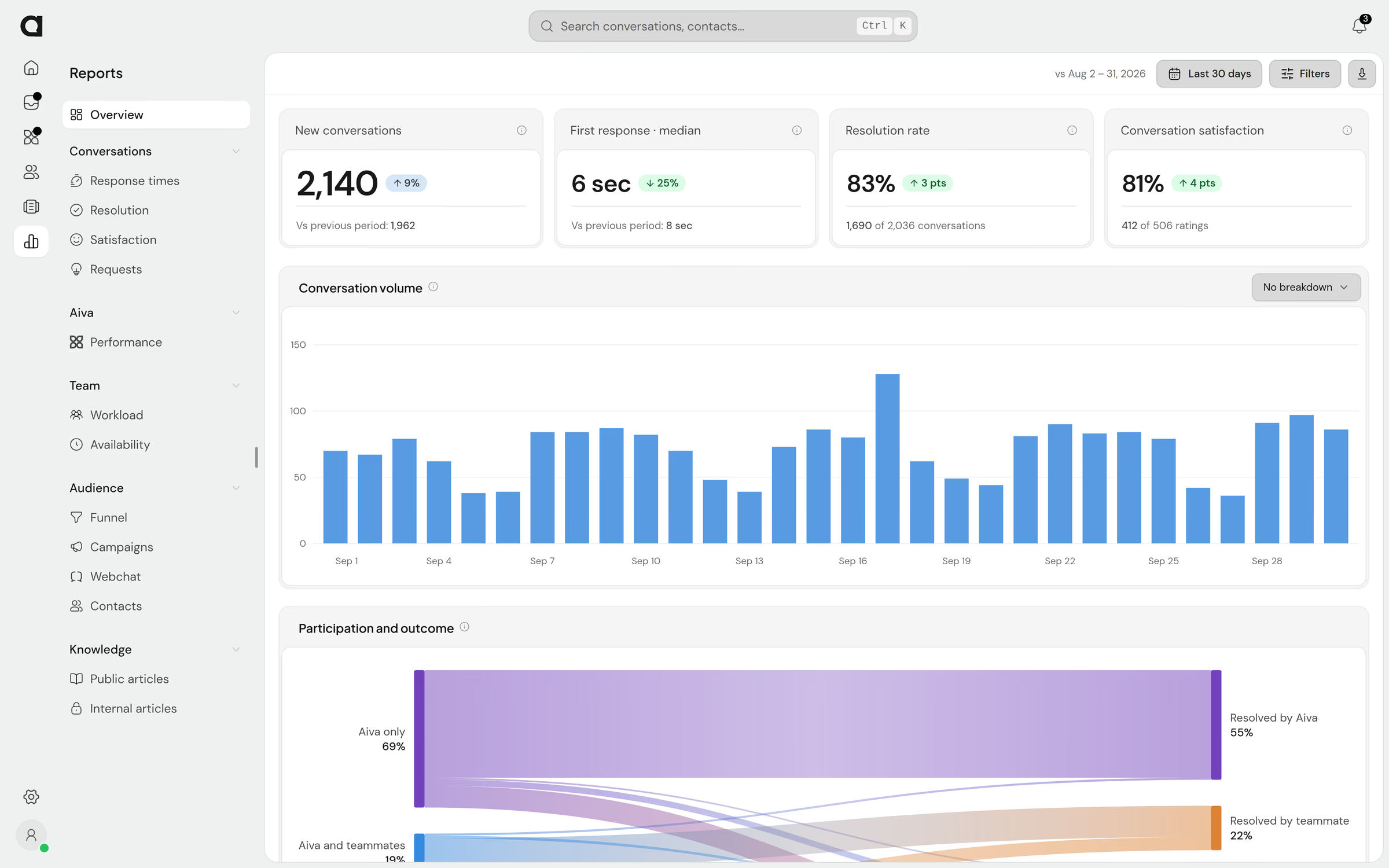
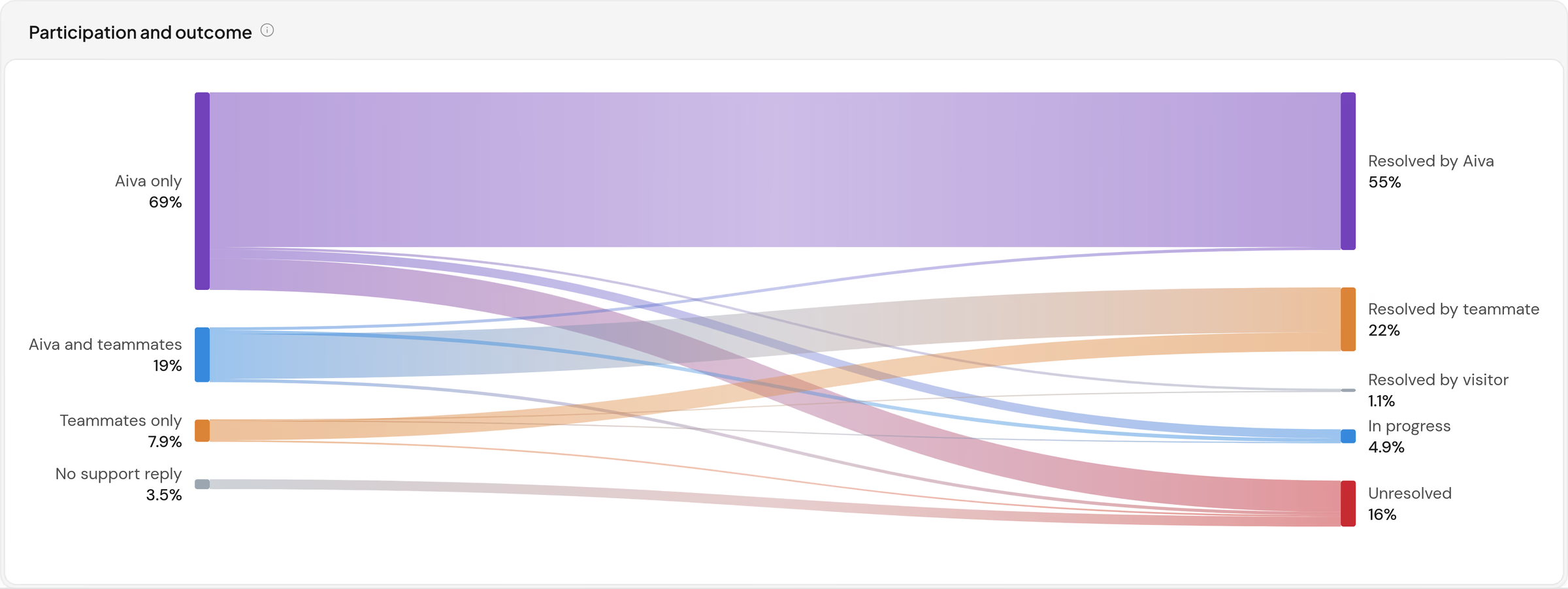
Know which conversations Aiva resolves without your team
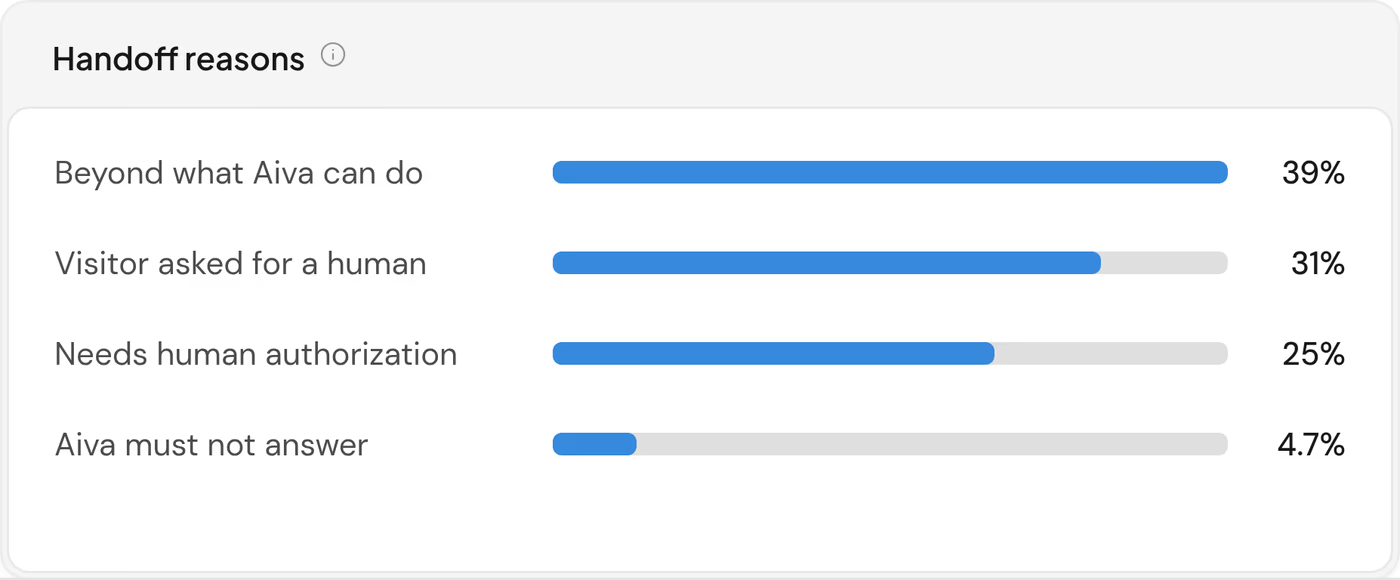
The overview traces each conversation from the first reply to the outcome. For every conversation Aiva hands to your team, the Aiva report records the reason.

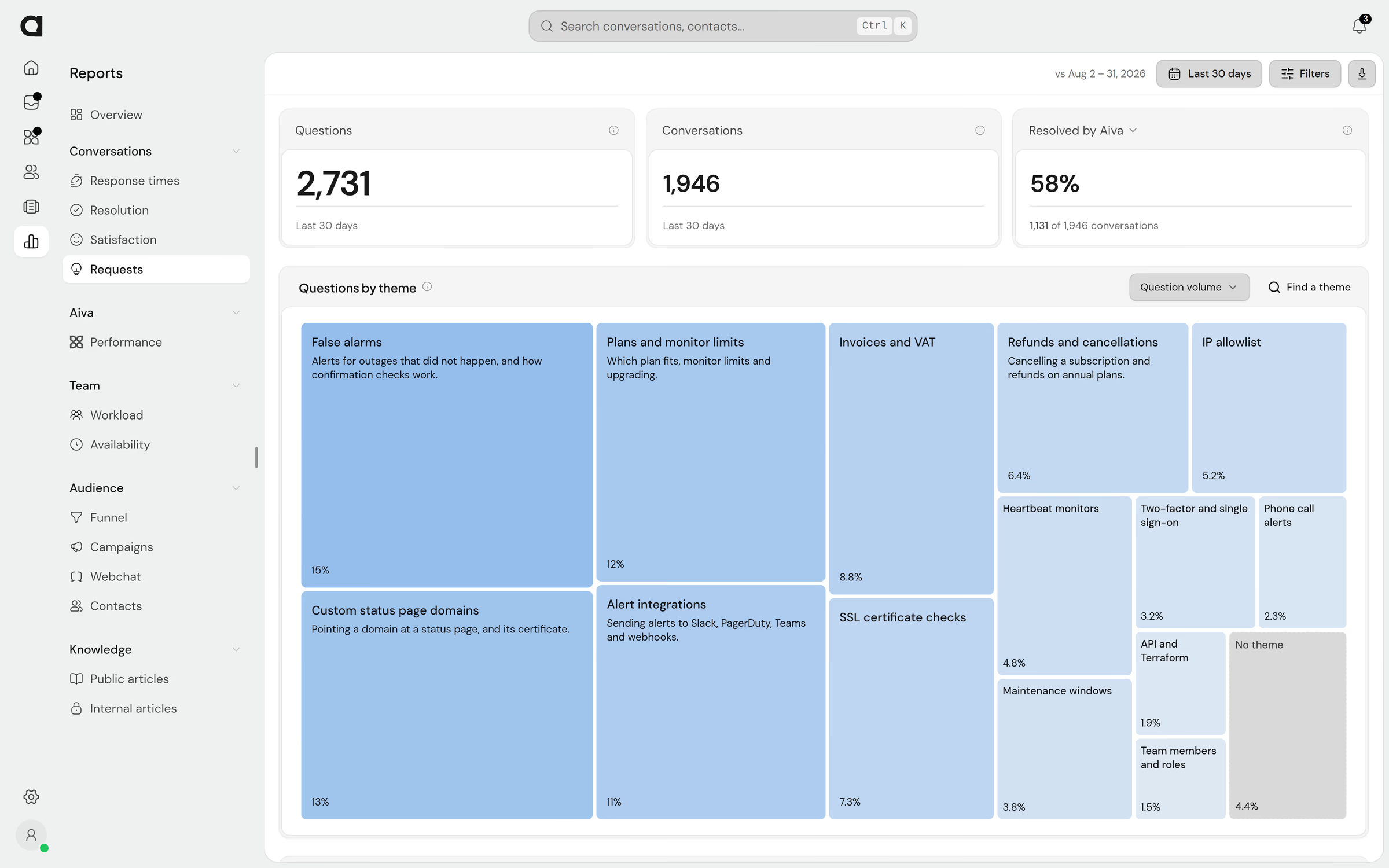
Find the questions customers ask most
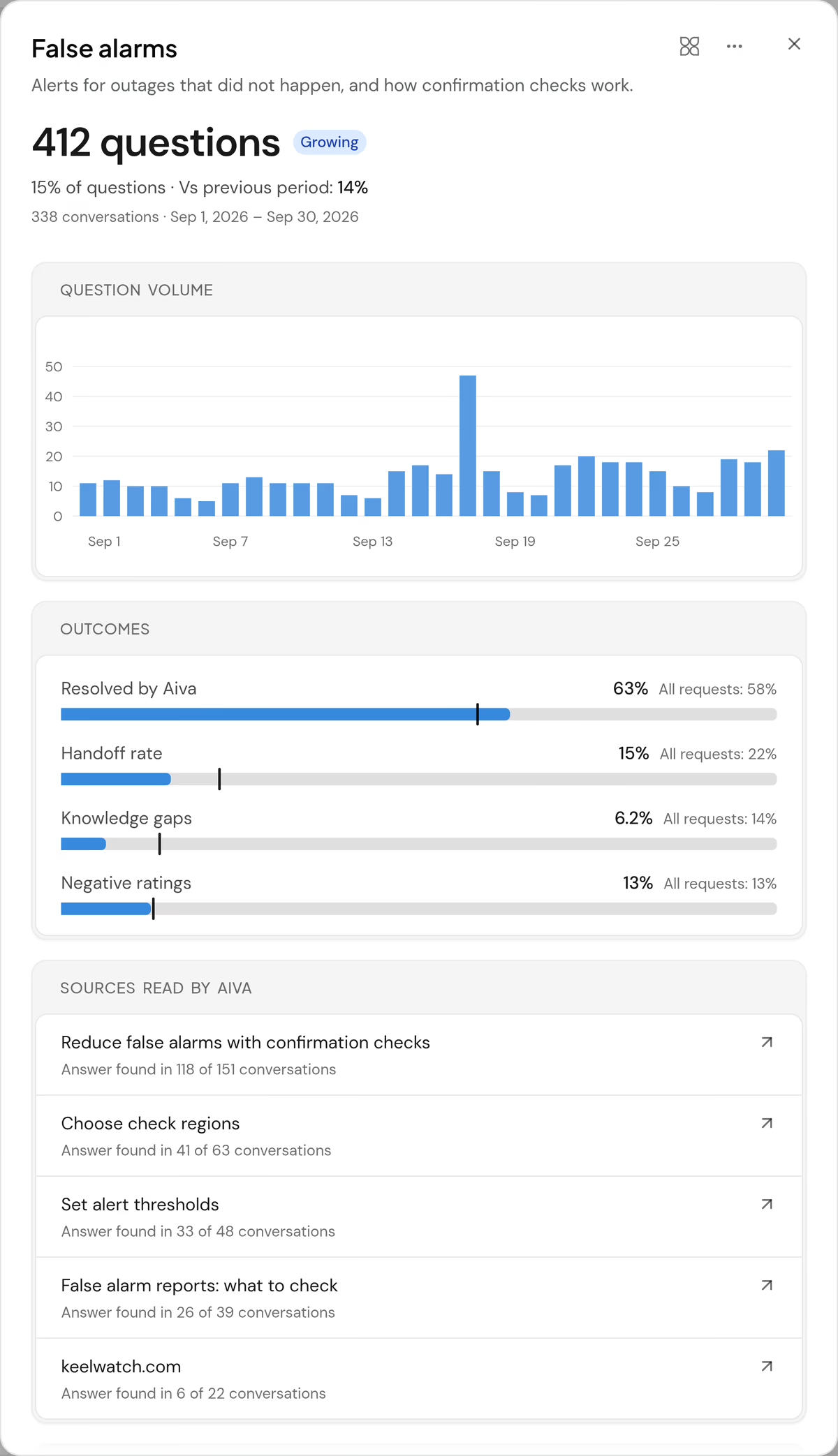
Requests sorts every question customers ask into themes and marks the themes that grow. Open a theme to see the share Aiva resolved and the sources Aiva answered from.

Staff the hours when handoffs arrive
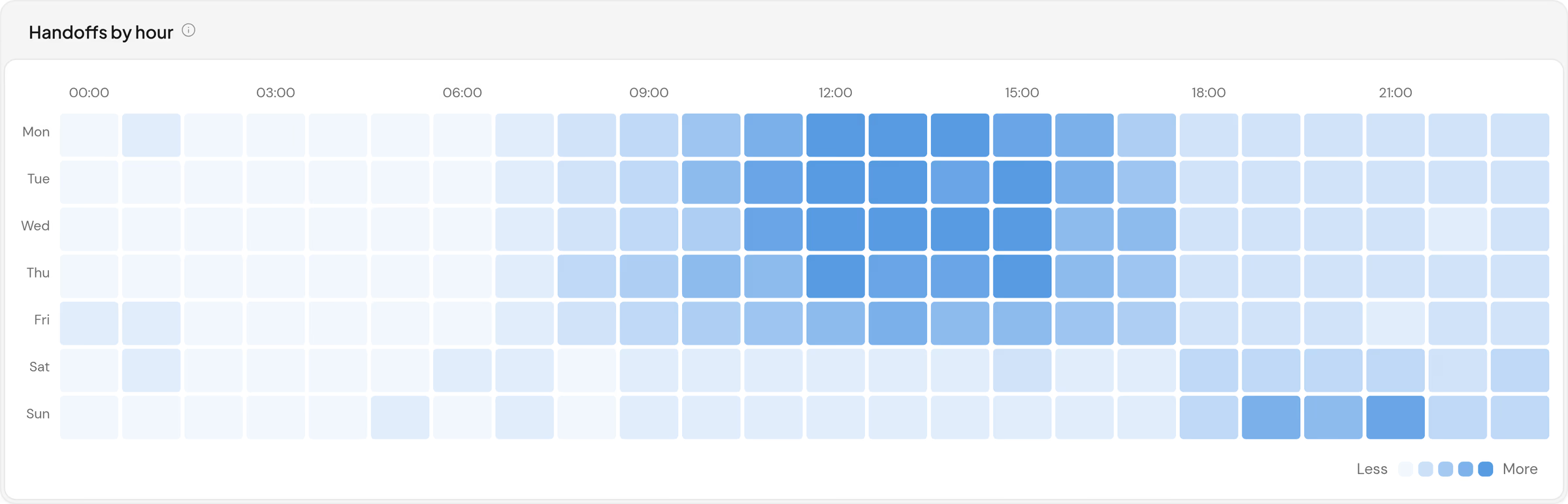
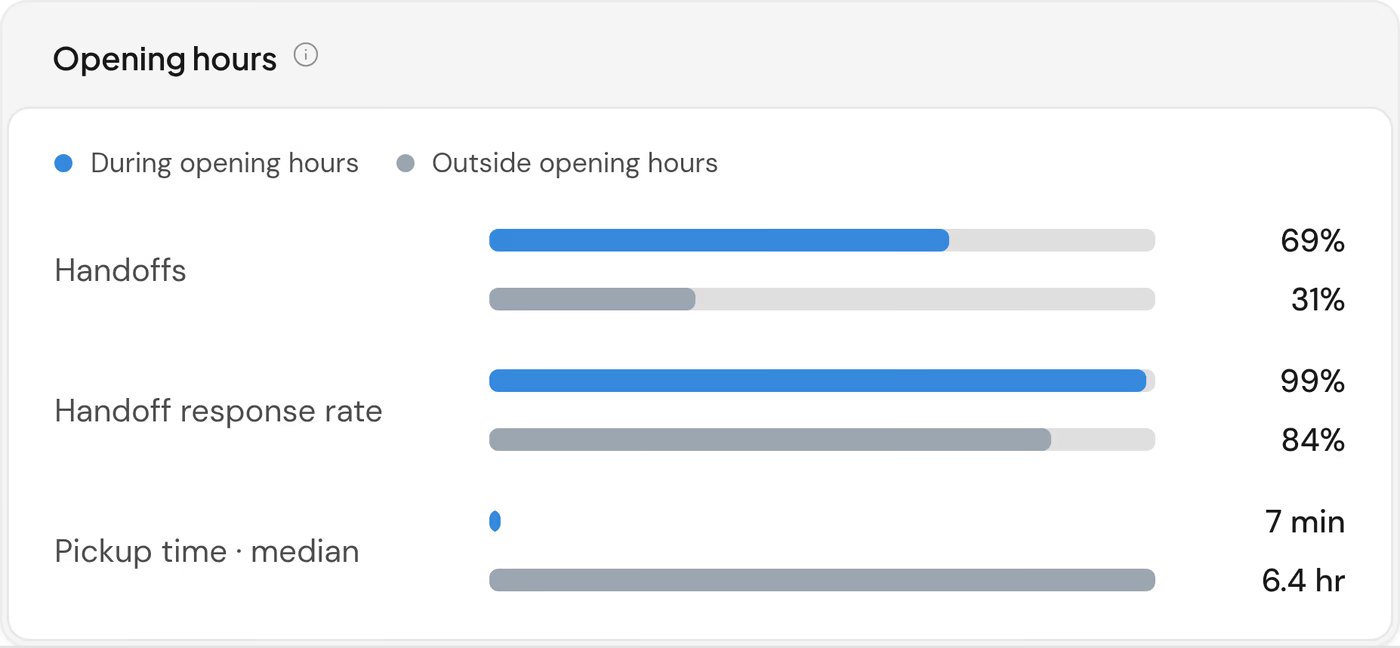
Availability places each handoff on the week and compares the handoffs inside your opening hours with those outside: how many your team answered and how long customers waited.

See which pages lead visitors to a conversation
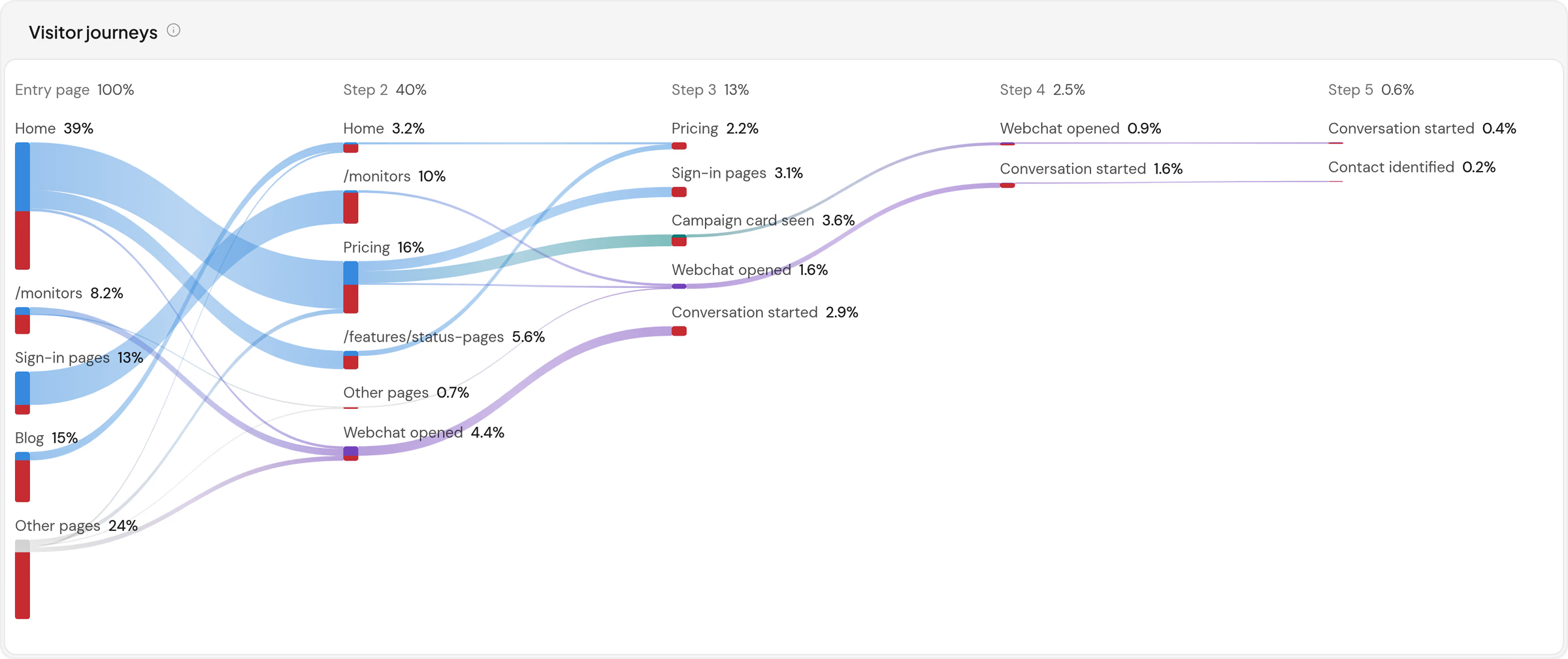
The funnel follows each visit from the page it landed on, through campaigns and Webchat, to a conversation. Visitors who leave appear at the step where they left.


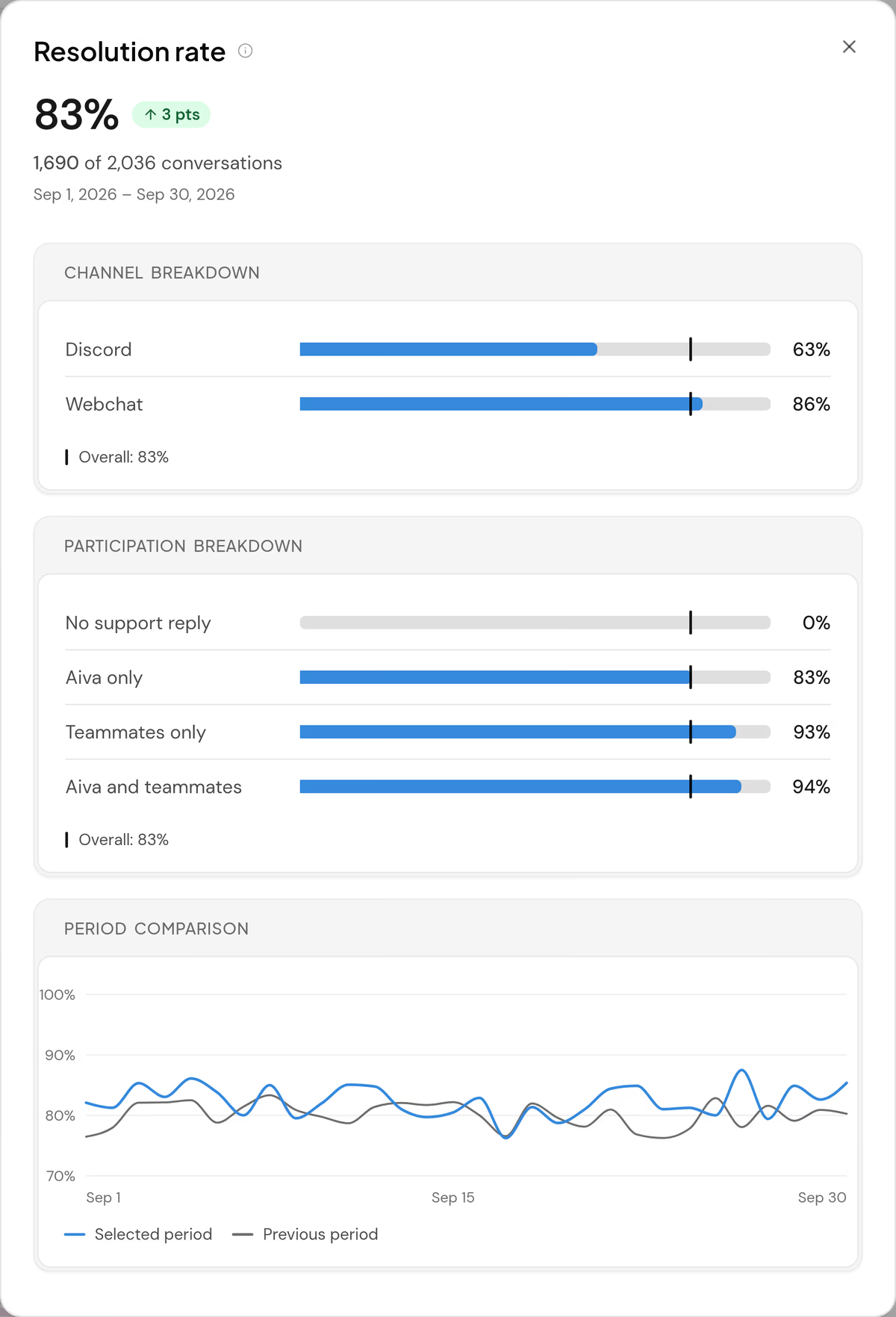
Open a figure to see what moved it
A headline figure opens on the breakdowns that explain it, and on each day of the period beside the same day of the period before.
- Low sample
- A rate that rests on fewer than 20 observations stays on the chart, marked Low sample.
- CSV export
- Each page exports every figure with its numerator, its denominator and its value in the previous period.
- Weekly email
- Every Monday, each teammate who opts in receives last week’s figures by email.
Questions about reports
Which plans include reports?
Every plan. Aiva’s figures need a plan with Aiva, and the themes of the Requests report are part of Business, with a preview on Pro.
Which periods can the reports cover?
Today, yesterday, this week, the last 7 or 30 days, this month, last month, all time, or any range of dates. The reports compare each headline figure with the period of the same length just before it, except over all time.
Do the reports count Discord and Telegram?
Yes. Every channel counts, and the filters narrow any page to one channel. The overview adds a channel comparison when two or more channels carry conversations.
When does the visitor funnel start?
From the first visit Webchat records on your website. The funnel says when it started and estimates no earlier visits. Assistify keeps an anonymous visitor’s visits for 30 days after the last one.
Where are article views and searches?
In the Knowledge section of the reports: views, helpful ratings, searches that found no article, and the conversations Aiva answered from each article. See the Knowledge page