Knowledge
One knowledge base for Aiva, Webchat and your help center
Your team writes each support article once, in one library. Aiva answers customers from the library, and the same articles appear in Webchat and on your help center.

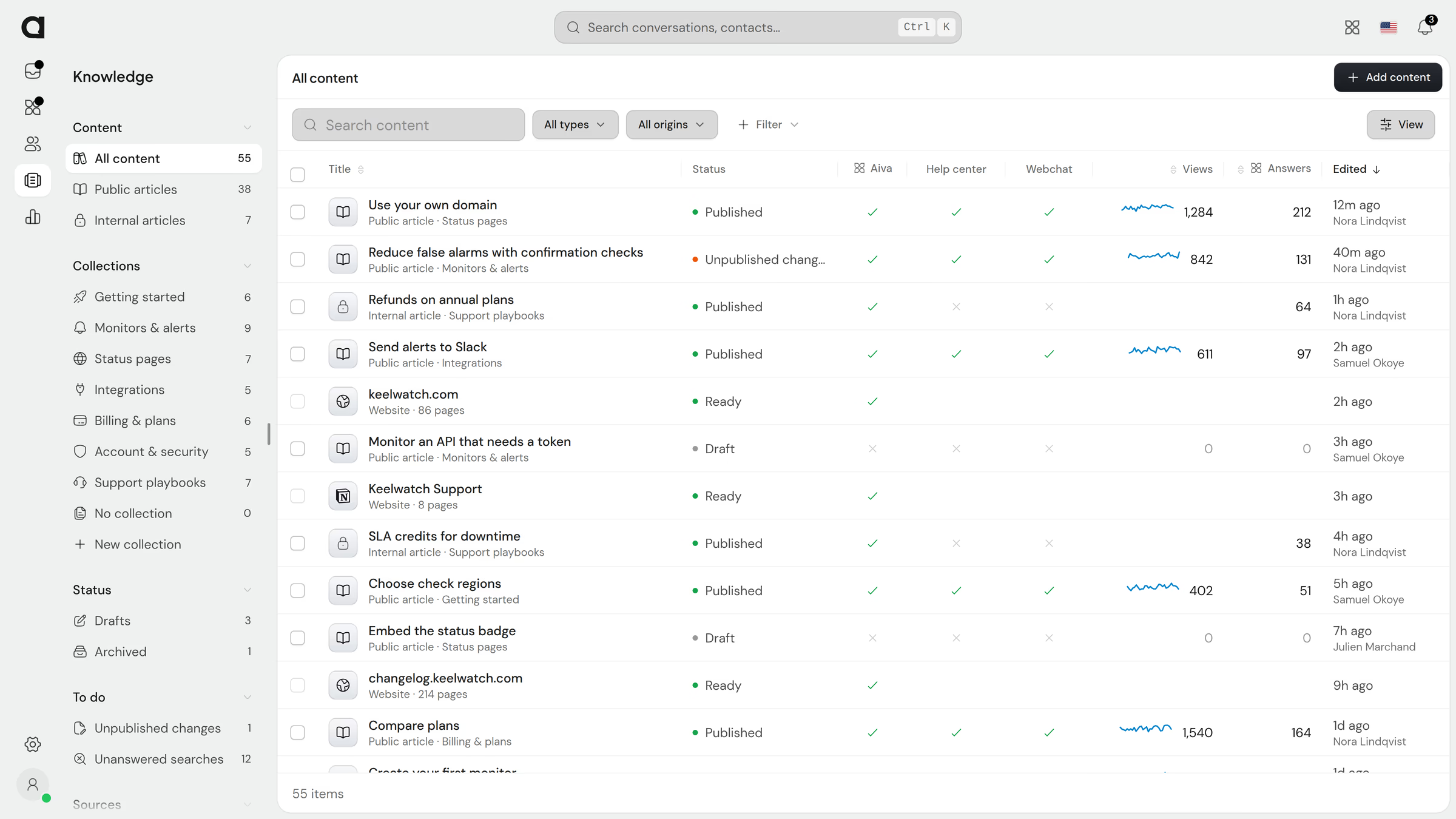
Bring in your team’s existing content
Add your website, connect Notion or Google Docs, or drop your files. Aiva answers from the content as soon as it arrives, and any page can become an article you edit.

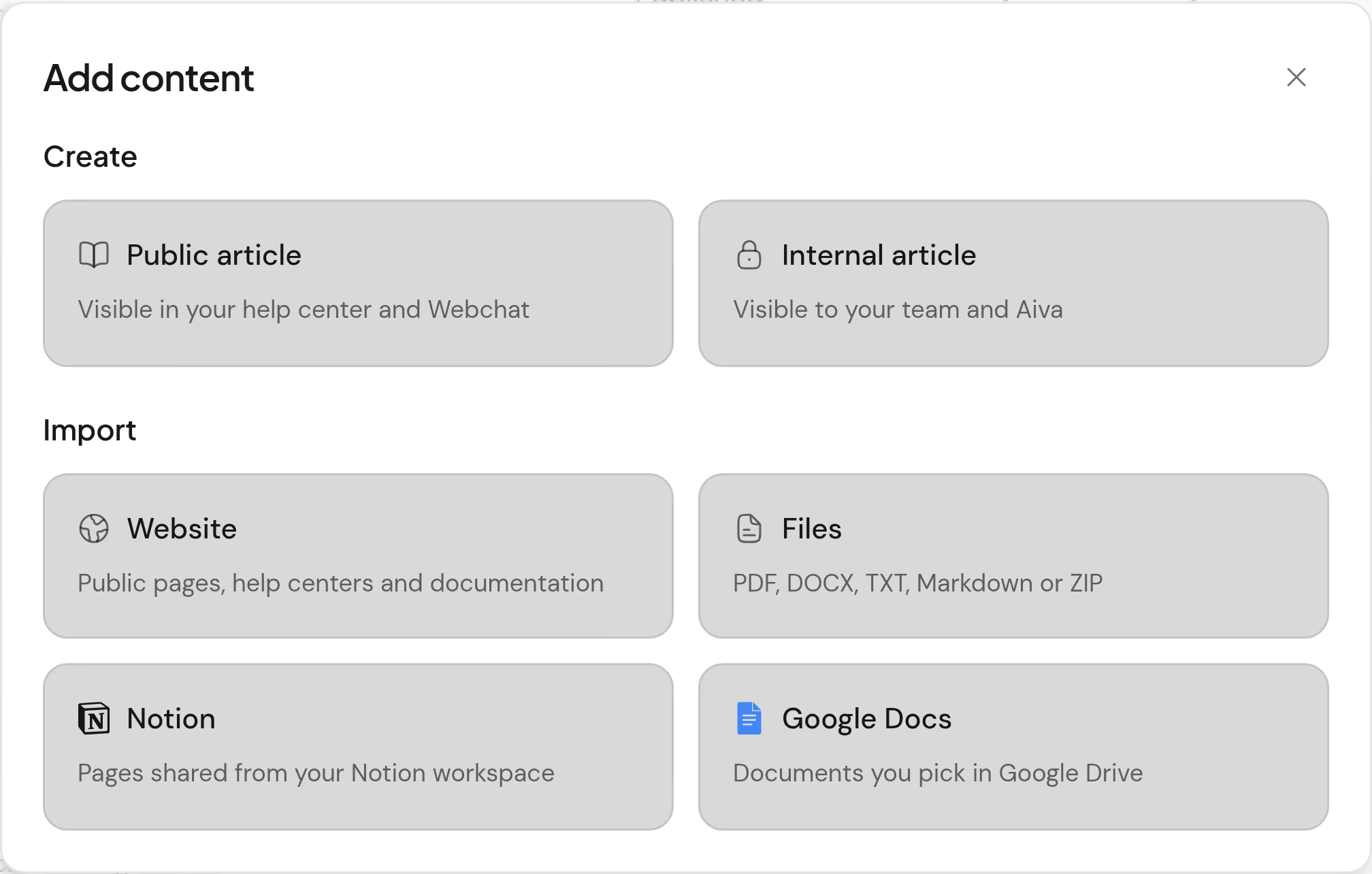
Websites and help centers
Aiva reads every page, whatever platform hosts it. Import the pages as articles when you want to edit them.
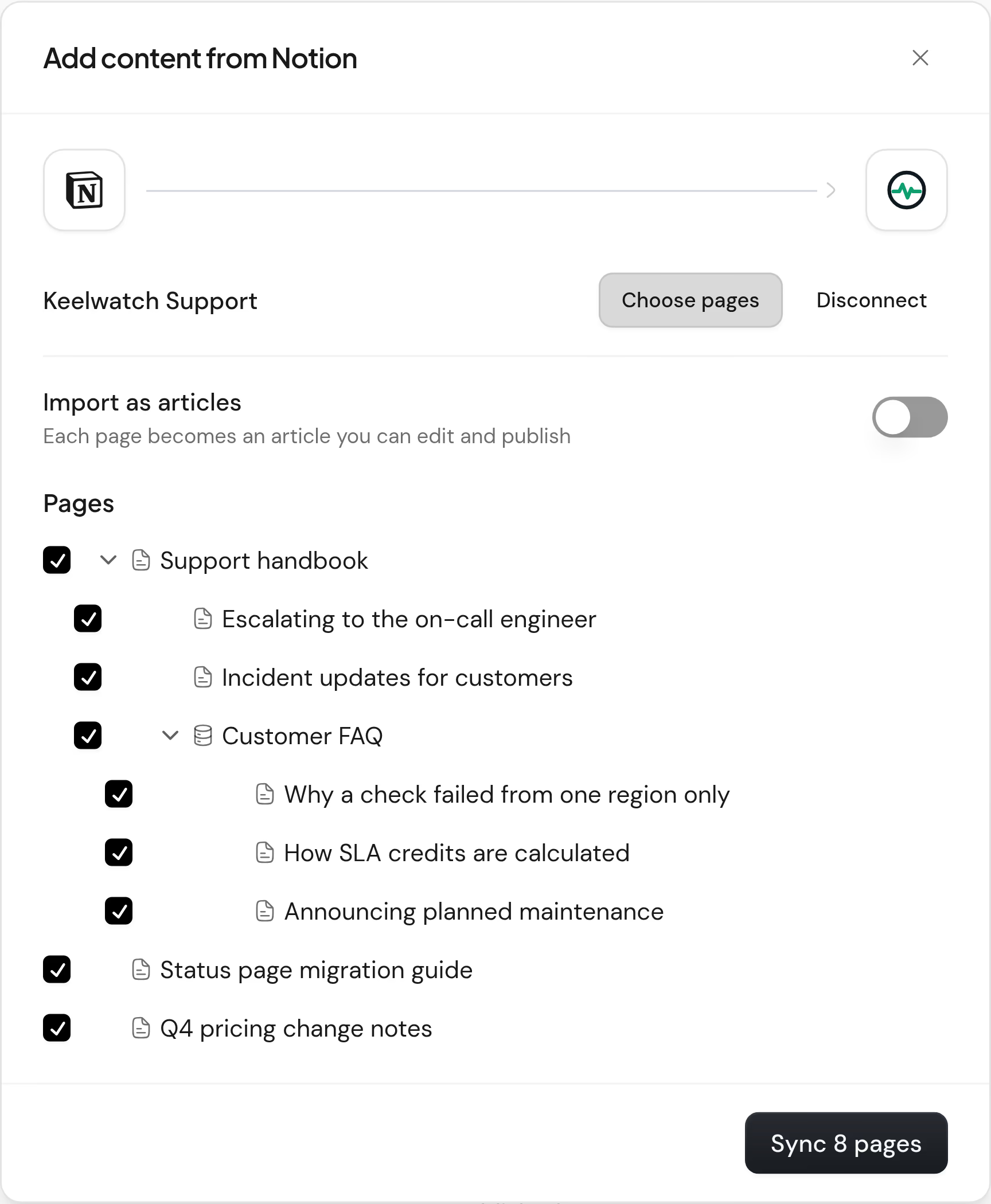
Notion and Google Docs
Sign in and choose the pages to share. Keep them synced for Aiva, checked every day for changes, or import them as articles.
Files
PDF, Word, text and Markdown files become articles. A ZIP of Markdown keeps its folders as collections.
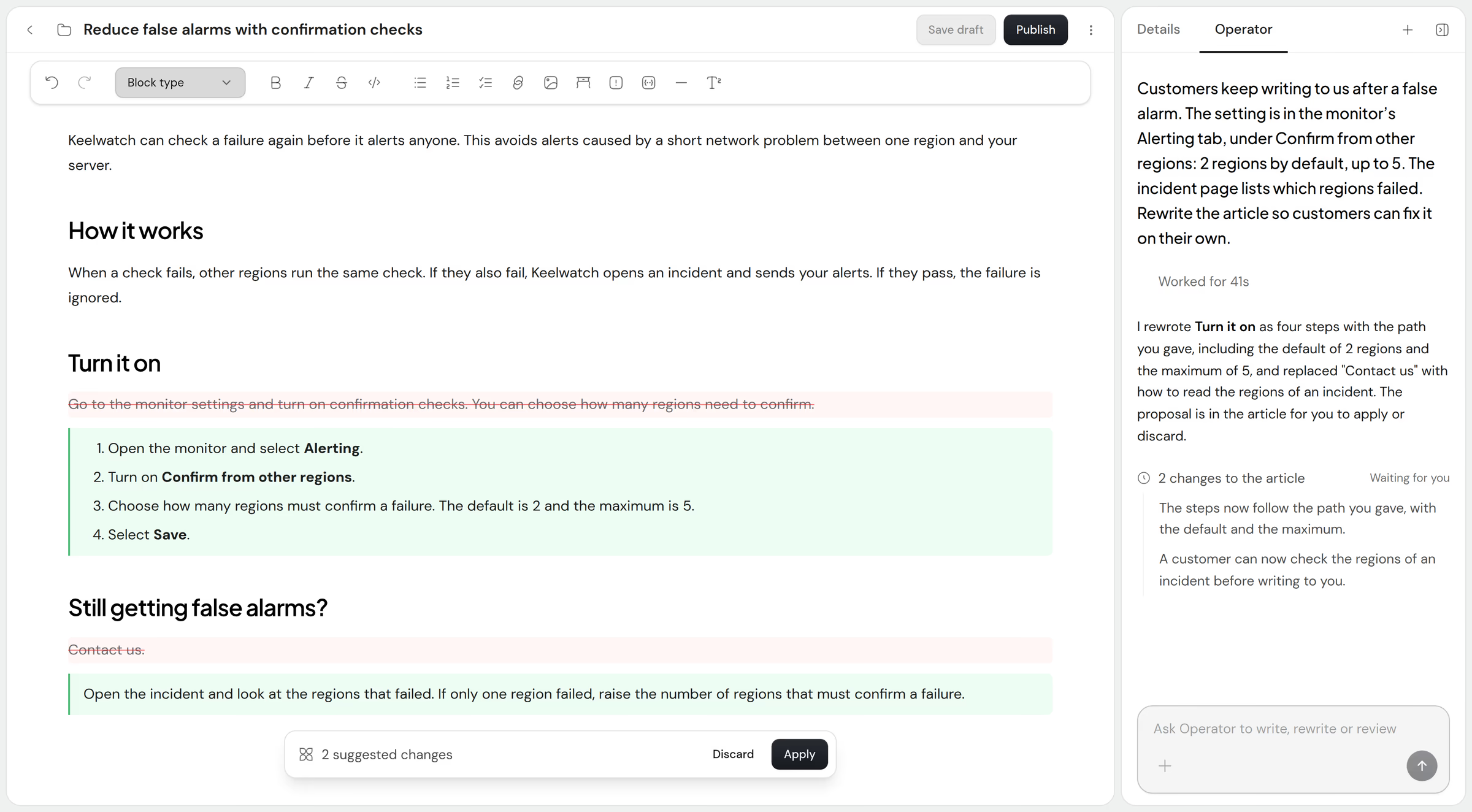
Write and revise articles with Operator
Ask Operator to draft a new article or rewrite an existing one. Operator writes the proposal into the article, where you apply or discard it.


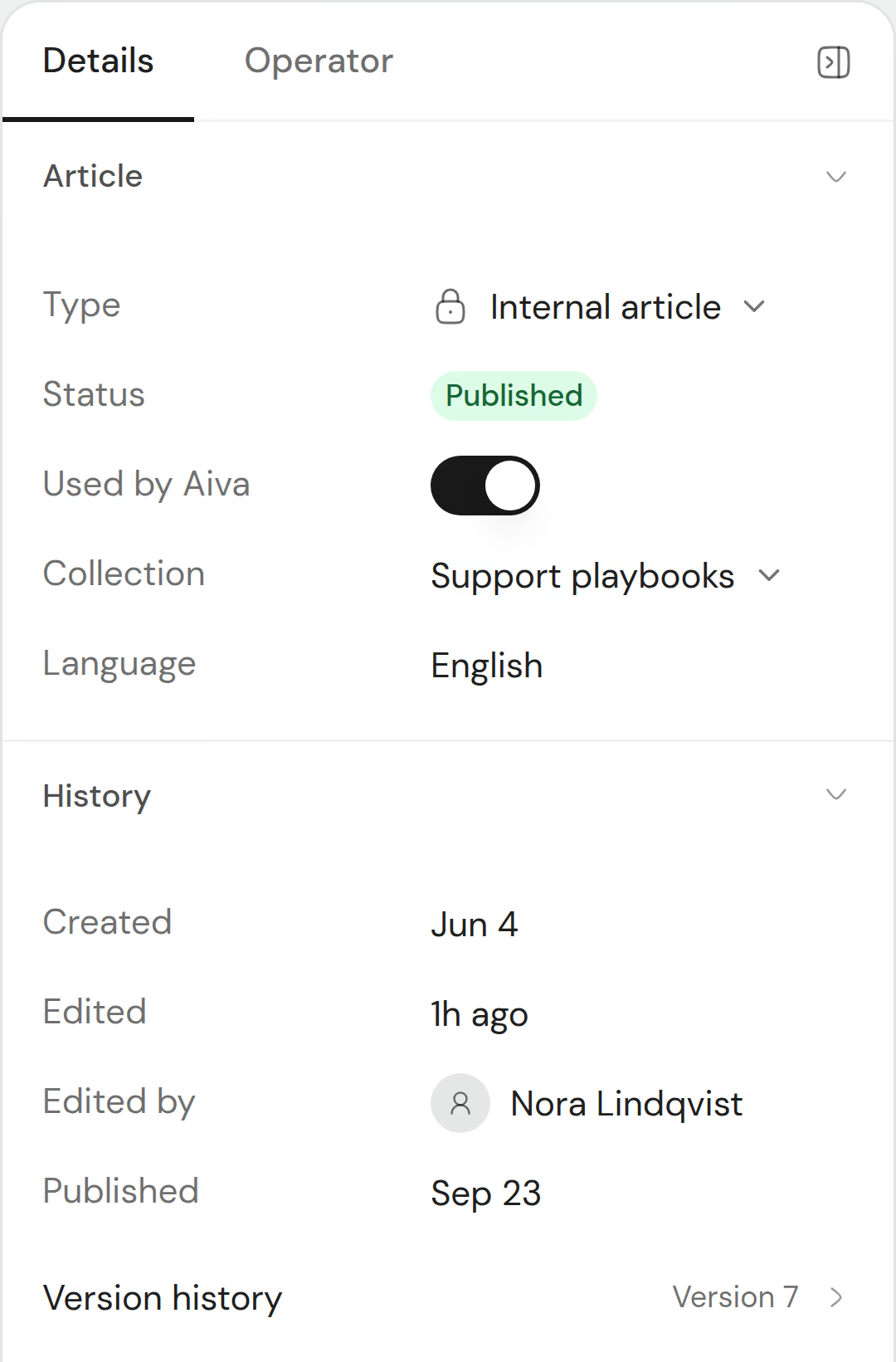
Know where every article stands
One panel beside the text holds the article’s status, its visibility and its version history.
Publish a help center that matches your brand
Your public articles and collections become a help center with its own search. Search engines can index every article.
The same articles open inside Webchat. See articles in Webchat


Write the articles customers are looking for
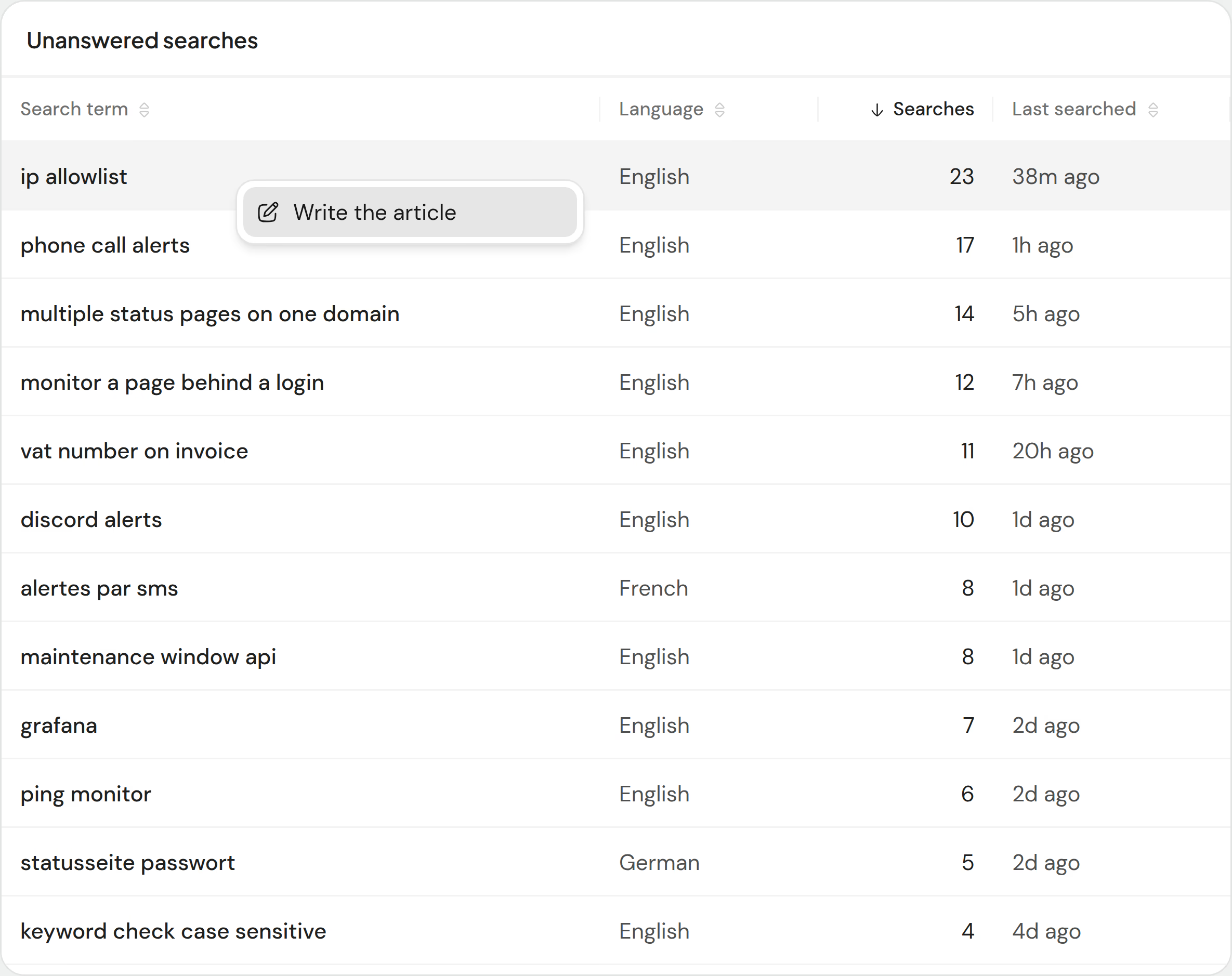
Searches that found no article collect in one list, with how often readers typed each one. The Knowledge report shows which articles readers open and rate as helpful.

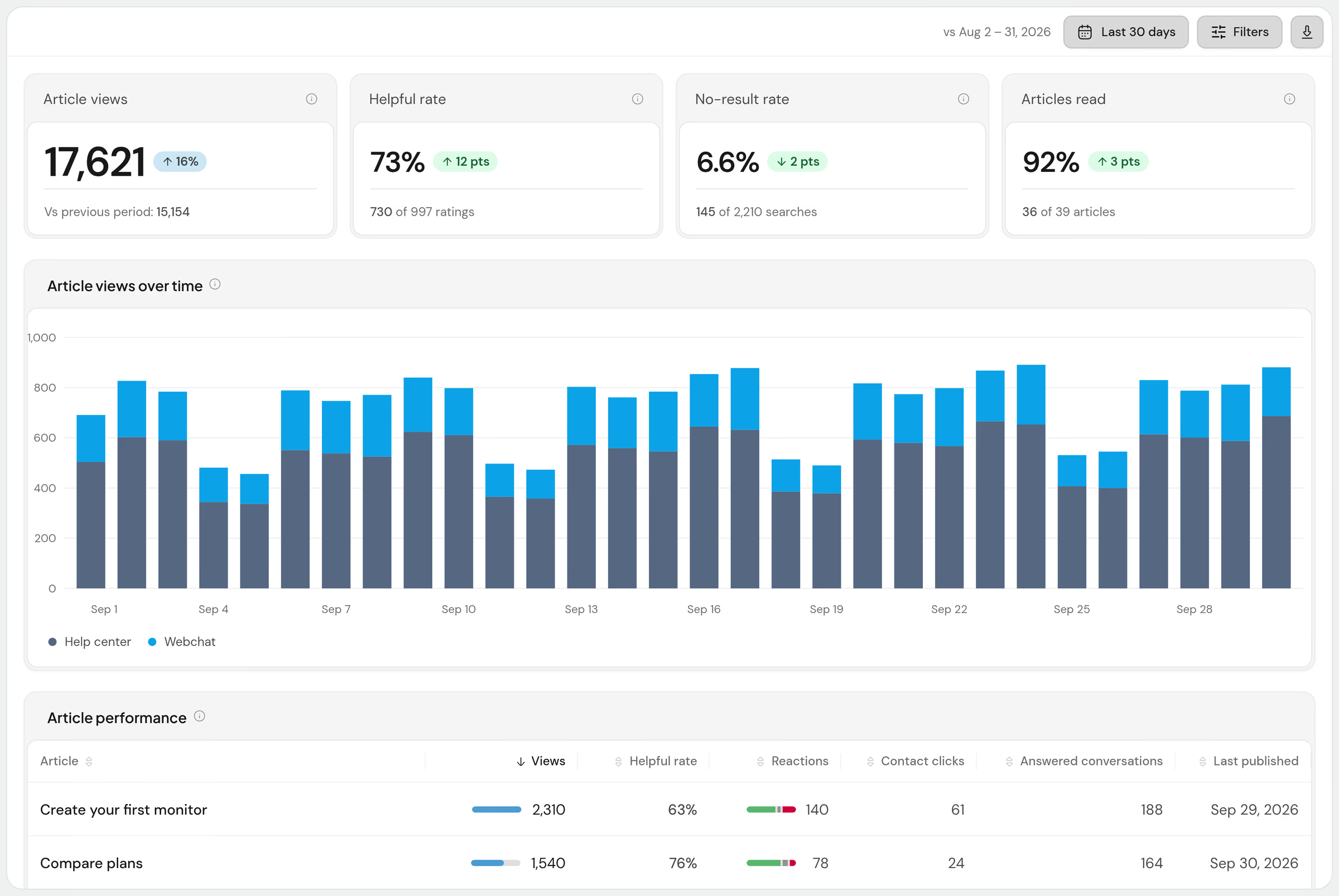
Article performance
Each public article’s views and helpful rate, and the conversations Aiva answered from it.
Unanswered searches
Sorted by how often readers searched. Each row offers Write the article, which opens a draft titled with the search.
Article figures are one section of Reports. See the Reports page
Questions about the knowledge base
Which plans include the knowledge base?
Every plan. Free holds 100 knowledge sources, Pro 1,000 and Business an unlimited number. Each article, website and synced Notion or Google Docs connection counts as one source.
What does Aiva answer from?
Public and internal articles, the websites you add, and the pages you sync from Notion and Google Docs. Each article has its own switch for Aiva, and so does each page of a website or a synced connection.
Can I import my current help center?
Yes. Add it as a website, whatever platform hosts it, and Aiva reads its pages right away. Import as articles then turns the pages into articles in a collection named after the website. Imported articles are published, used by Aiva, and public once you choose.
Can I connect Notion or Google Docs?
Yes, on every plan. Sign in, choose the pages or documents to share, then keep them synced for Aiva or import them as articles. Synced pages are checked for changes every day, and Sync now reads them again at once.
Are articles translated?
With the Live translation add-on, public articles and their collections are available in 27 languages, and your team can edit any translation. Aiva answers in the customer’s language on every plan that includes Aiva.
Can search engines index the help center?
Yes. Indexing is a switch in the help center’s settings. Each article has its own address, and its description becomes the page’s meta description.
Do customers need to leave my website to read an article?
No. Webchat shows your public articles and collections on every plan, and customers search them without starting a conversation.