Reports
Measure the performance of Aiva and your team together
Ready-made reports follow every conversation from the first reply to the outcome, whether Aiva, your AI agent, or your team answered.

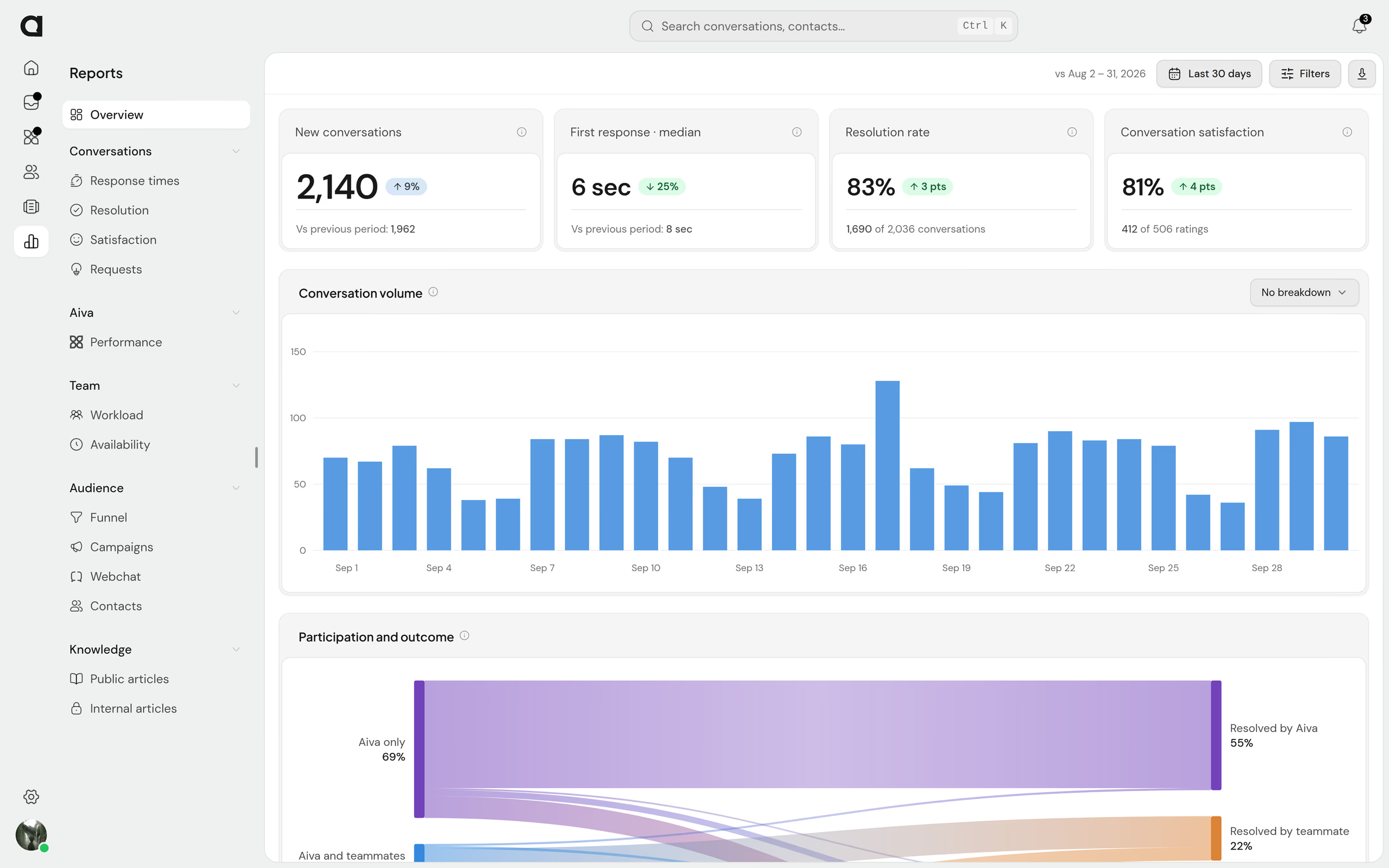
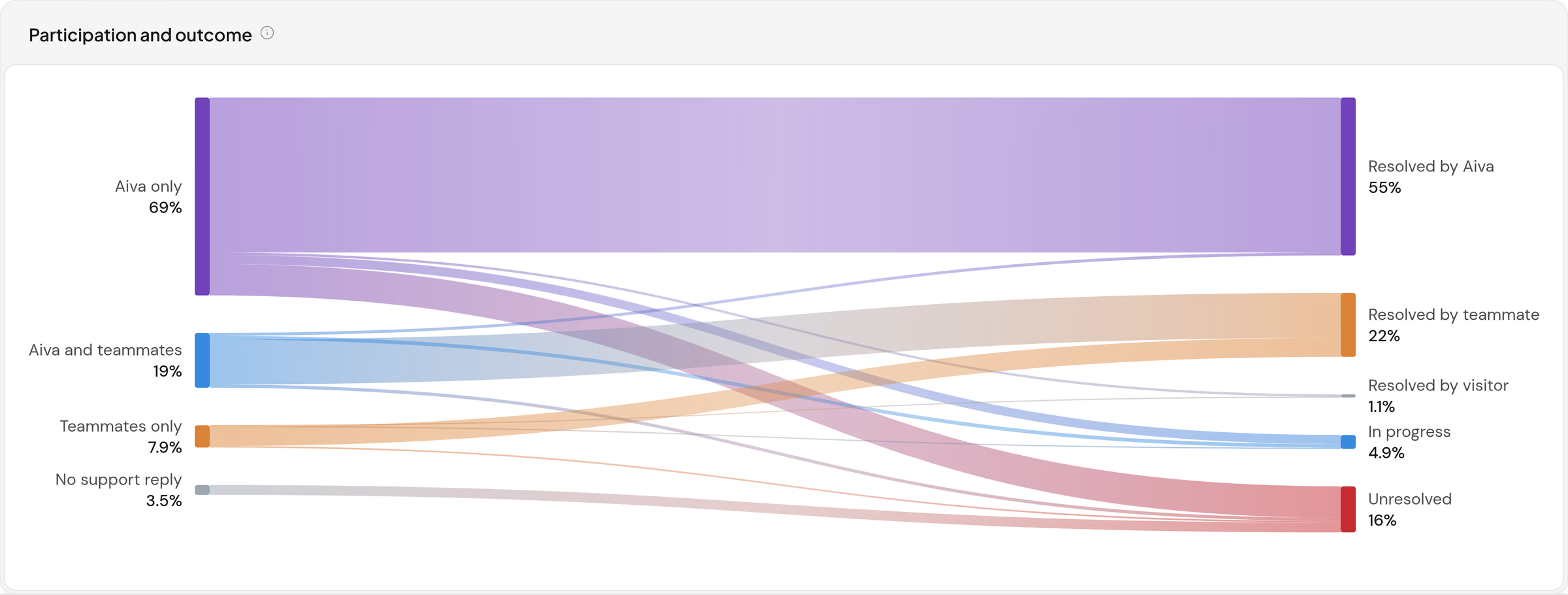
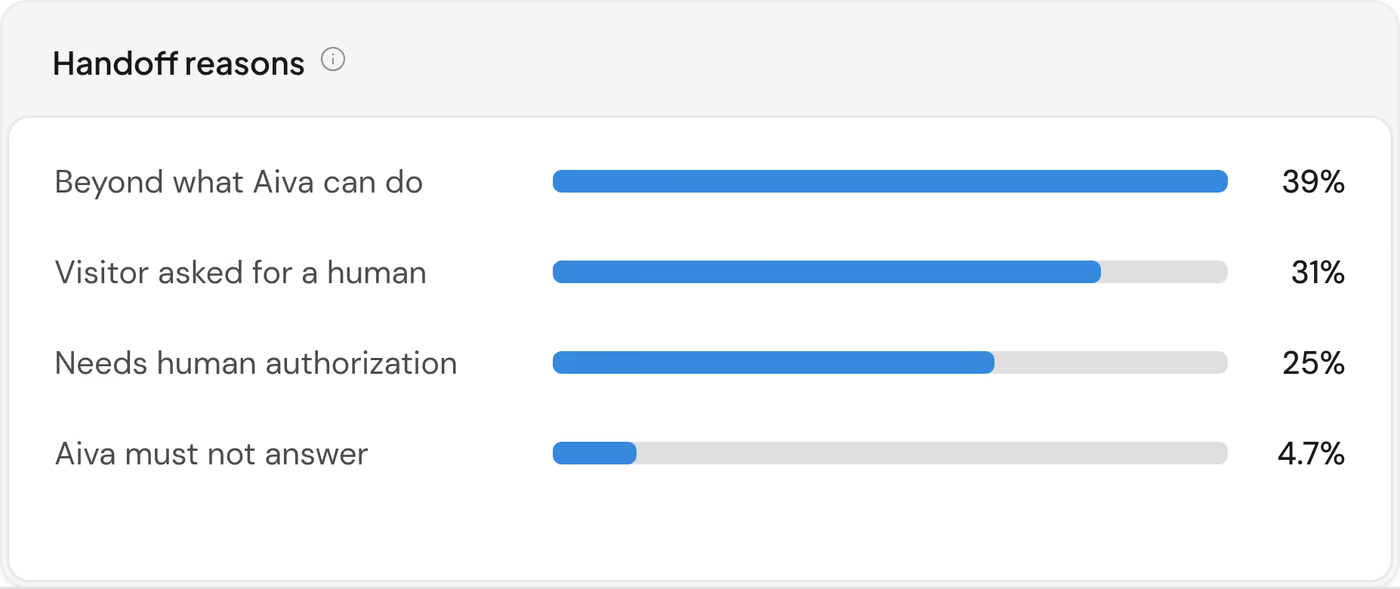
Measure how much of your support Aiva resolves
See the share of conversations Aiva resolves and the reason for each handoff to your team.

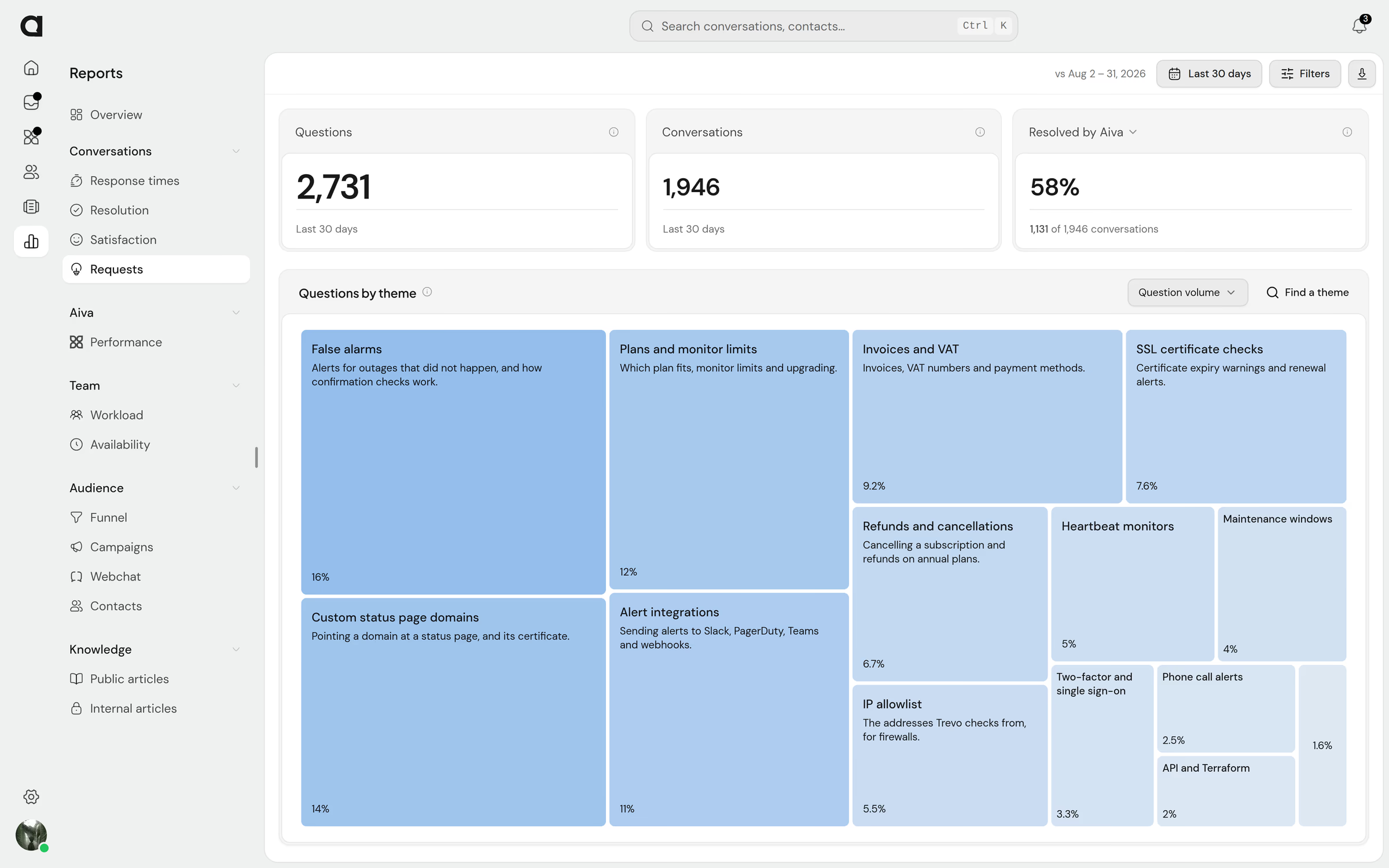
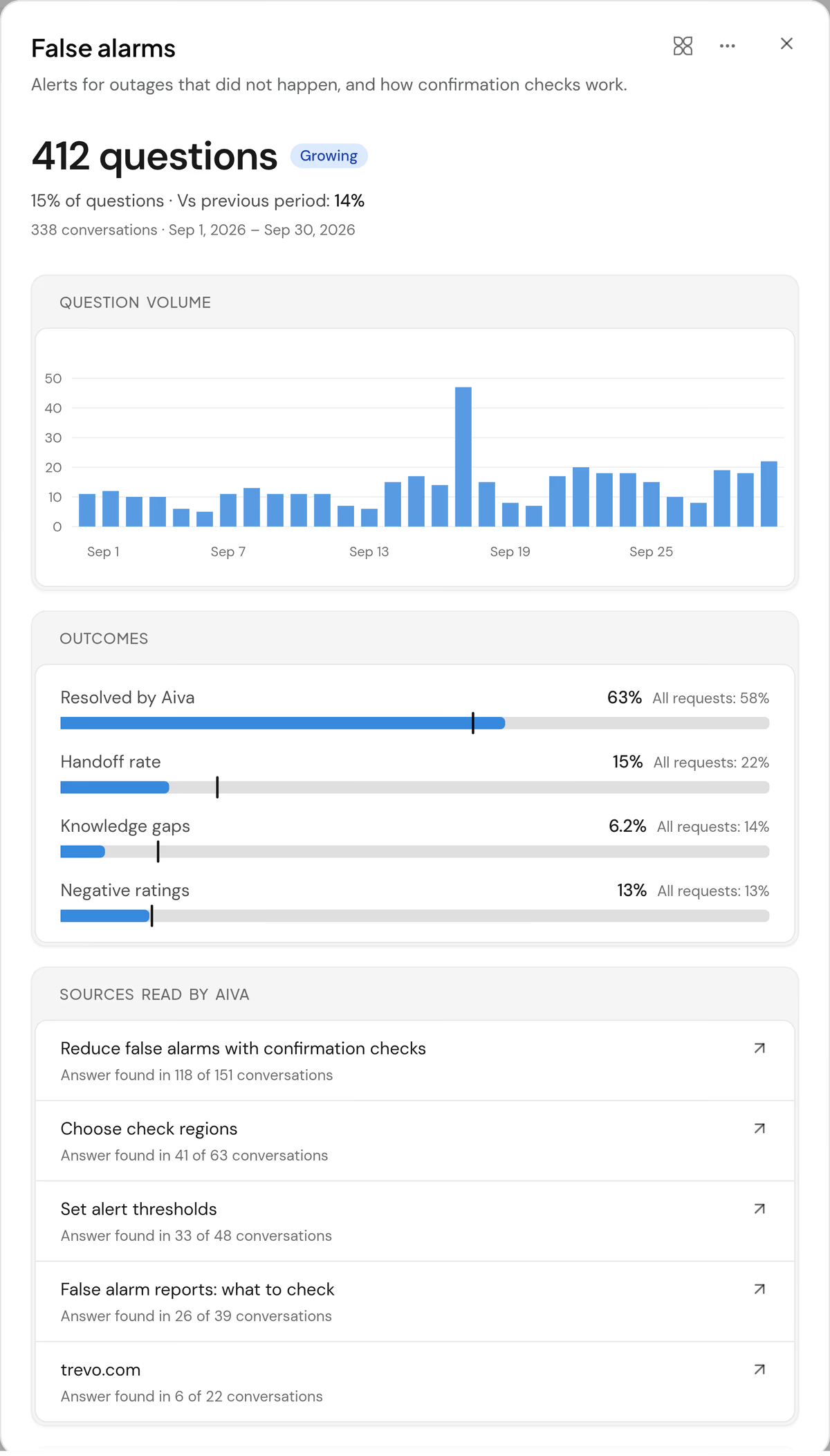
Find the questions customers ask most
Reports group customer questions by theme and show which themes are growing and how often each theme is resolved.

Track your team’s workload and response times
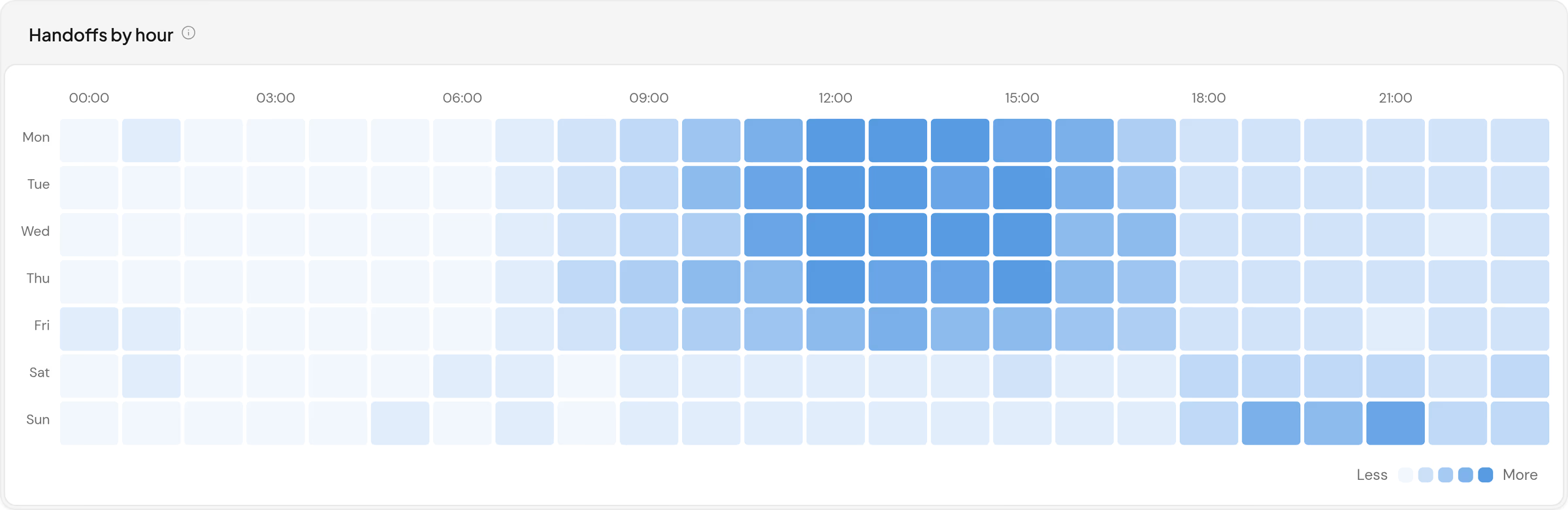
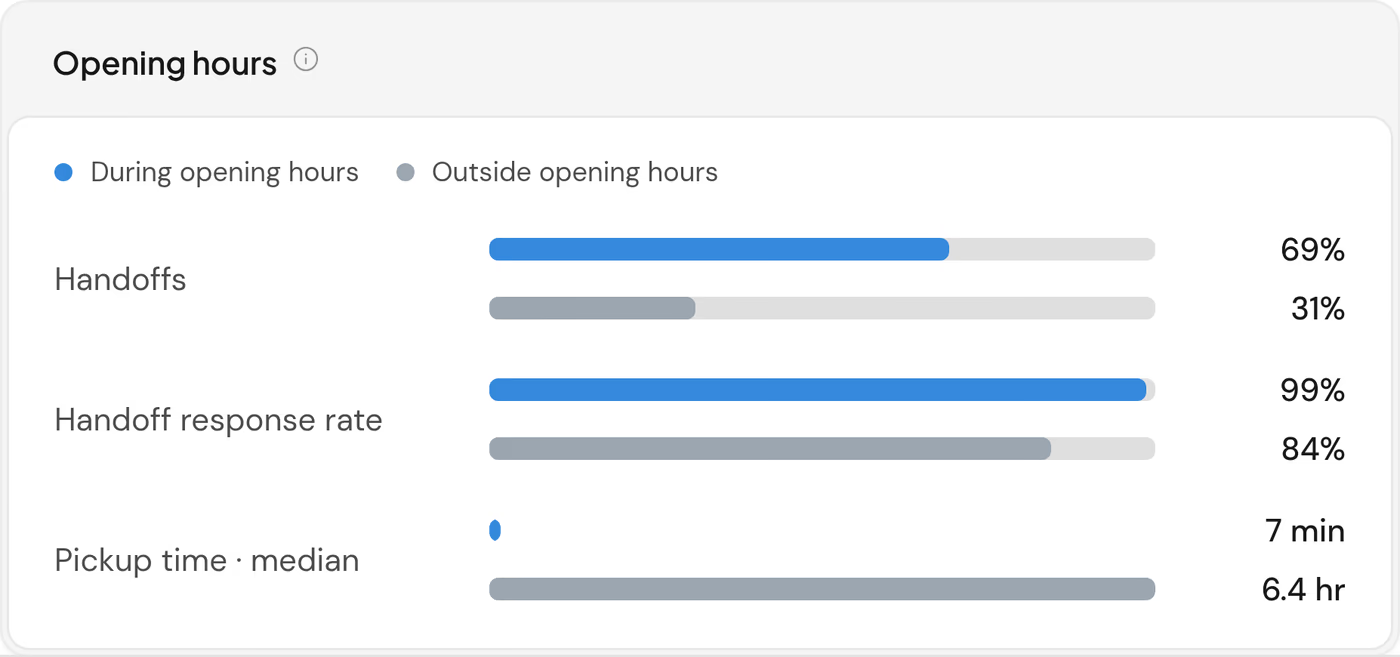
See how work is shared, how quickly your team responds and which hours bring the most handoffs.


Focus any report on one channel, team or period
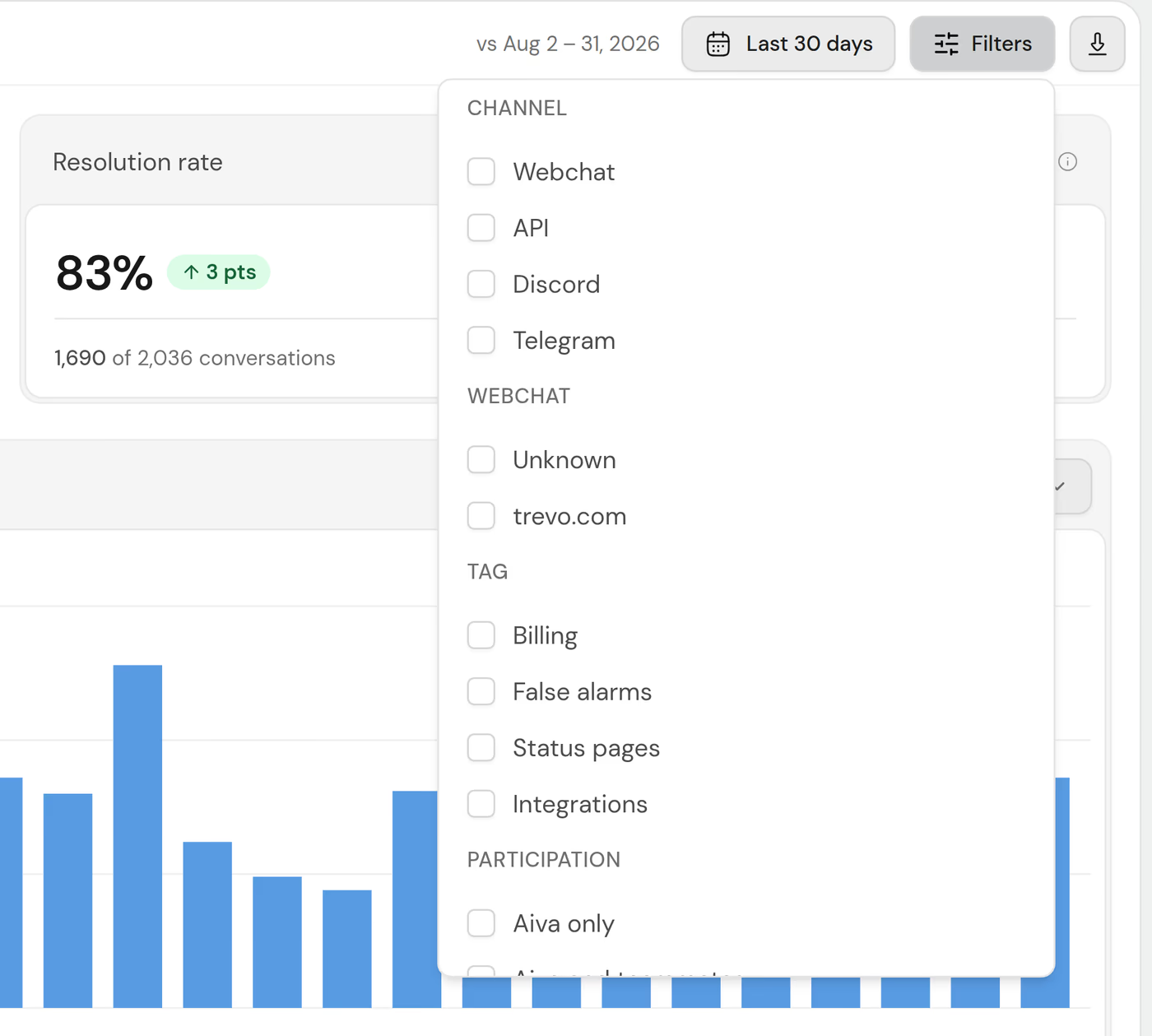
Narrow any report to the conversations you want to study, over any period.


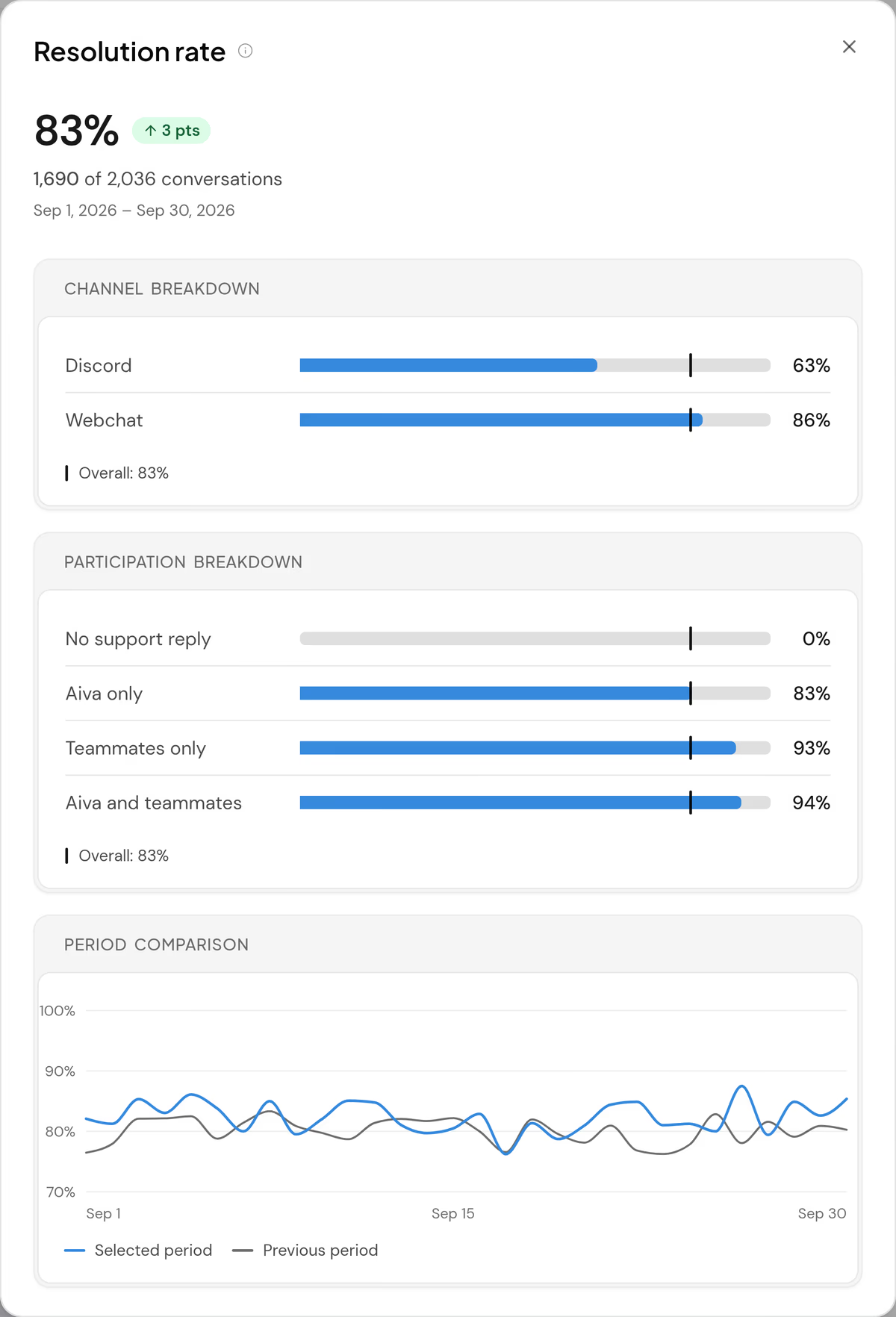
Understand what drives each metric
Each metric comes with the breakdowns and the day-by-day comparison that explain a change.
- Breakdowns
- Split a result by channel and by who replied, to see where a change comes from.
- Day by day
- Follow each day of the period beside the same day of the period before.
- Small samples
- The reports flag any rate based on too few conversations.
Questions about reports
Which plans include reports?
Every plan, with Aiva’s results on the plans that include Aiva. The themes of the Requests report are part of Business, with a preview on Pro.
How do the reports count Aiva and the team?
Each conversation counts once, by who replied and how the conversation ended, so Aiva’s and your team’s numbers add up to one total.
Do the reports cover every channel?
Yes, Discord and Telegram included, and filters narrow any page to one channel.
Do the reports cover website visitors?
Yes. The visitor funnel follows each visit from the first page, through campaigns and Webchat, to a conversation.
Can I export reports or receive them by email?
Yes. Every report downloads as a CSV file, and teammates who opt in receive last week’s results by email every Monday.
Who can see individual teammates’ results?
Owners and admins see the results of every teammate. Agents see the workspace’s results, their own, and those of the teams they lead.
Where are article views and searches?
In the Knowledge section of the reports: views, helpful ratings, searches that found no article, and the conversations Aiva answered from each article. See the Knowledge page